iPhone and Apple Watch beside a bed in a purple-lit bedroom

The Science Inside Sleepy Banana

Sleepy Banana turns your iPhone into a private sleep companion. Overnight sensing measures the patterns behind your Sleep Health score, detects possible snoring and powers a smarter alarm. In the morning, trends and Nana turn that evidence into guidance you can understand, even offline, with your data kept on your device.
The Models and Systems Behind Sleepy Banana

Ten connected systems turn overnight signals into sleep stages, sound insights, a smarter alarm and private guidance from Nana. The models run locally whenever sensitive data is involved.

Sleep-stage estimation

Wav2Sleep Respiratory Model

In Nightstand mode, a qualified respiratory signal is evaluated in 30-second epochs with Wav2Sleep and local calibration to estimate Awake, Light, Deep and REM. Mattress mode uses movement instead; unreliable stages are withheld.

Nightstand · 30-second epochs

Measurement hierarchy

iPhone and Apple Watch Fusion

Apple Watch stages remain the preferred source. Sleepy Banana combines Watch data with qualified iPhone respiratory and motion estimates to fill supported gaps while preserving the source of every result.

Watch preferred · iPhone backup

Sleep-sound intelligence

On-Device Sound Detection

Apple’s on-device SoundAnalysis classifier works with room-relative loudness and burst detection to identify possible snoring and distinguish sounds such as coughing and talking. Review saved clips and correct their labels.

Local analysis · reviewable clips

Recording review

Sound Labels You Control

Listen to saved clips and confirm what you hear: snoring, coughing, talking or another sound. You can apply a label to similar recordings, then verify those inferred labels. These labels describe sounds, not people.

Listen · label · verify

Nana text chat

Local Sleep LLM

Nana uses a local language model to explain your latest night, scores, goals and trends. After a one-time download of about 1 GB, it works offline and keeps conversations on your iPhone.

Private · offline · contextual

Nana voice chat

On-Device Voice Pipeline

Speech recognition, reasoning and spoken responses run locally for hands-free conversation. Natural voice requires a one-time 325 MB download in addition to the language model; Nana can then speak and respond to interruptions offline.

Listen · reason · speak

Nightly sleep health

RU-SATED Scoring Model

Duration, continuity, regularity, timing, alertness and satisfaction combine into one nightly Sleep Health score, with each dimension kept visible so the result stays explainable.

6 transparent dimensions

Morning self-report

Karolinska Sleepiness Scale

The validated nine-point KSS adds how alert you actually feel after waking. This human signal supplies context that sensors alone cannot observe.

Validated 1–9 scale

Wake-time decisioning

Smart Wake Engine

The alarm evaluates the selected wake window and available sleep signals to choose a gentler wake opportunity, with optional challenges, relaunch automation and a delayed system fallback to help you wake.

Adaptive window · persistent alarm

Personal patterns

Longitudinal Trend Engine

Night-by-night measurements become schedule, goal, snoring and Sleep Health trends across days and months. Nana can use that history to explain what changed and what may matter next.

One night to long-term context

On-Device Sleep Tracking

Your iPhone Becomes a Sleep Lab

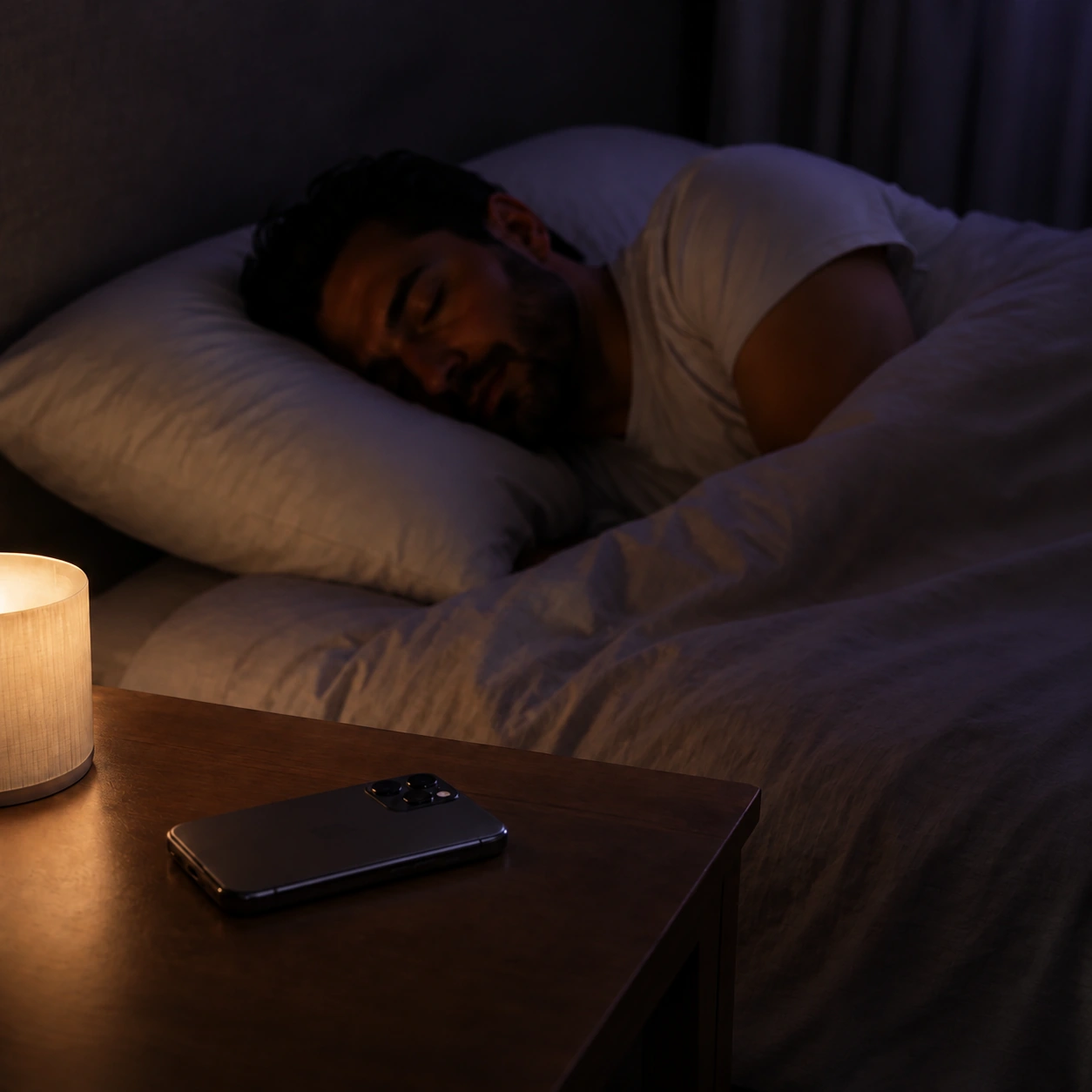
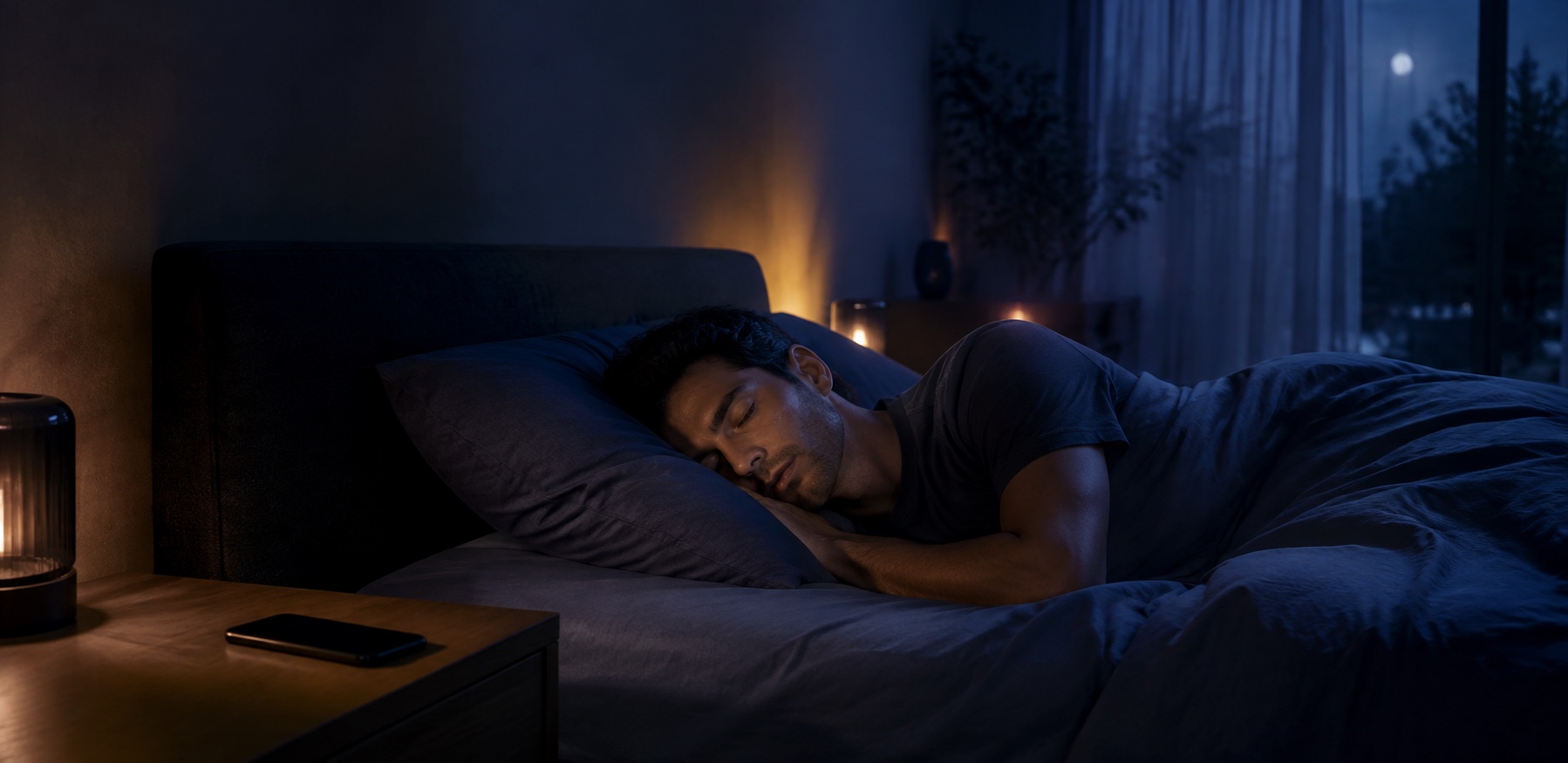
Man sleeping beside an iPhone while overnight signals are tracked

Place your iPhone near the bed and Sleepy Banana turns overnight sensor and audio signals into duration, continuity, timing and snoring context. Your morning report connects the night to goals and trends, while private recordings and sleep data remain on your device.
Inside Sleepy Banana

Five connected systems take you from bedtime to a clearer morning: Sleep Health, snoring insights, trends, a persistent alarm and Nana’s private on-device guidance.

iPhone and Apple Watch resting beside a bed at dawn

Six Signals, One Sleep Health Score

Sleepy Banana follows the RU-SATED framework across duration, continuity, regularity, timing, alertness and satisfaction. Sensor-based signals combine with your KSS alertness and restorative-sleep ratings to create one nightly Sleep Health score.

iPhone on a bedside table while one man sleeps

Snoring You Can Verify

Sleepy Banana detects possible snoring and can save clips for you to replay and label. See snoring and coughing alongside the available nightly sound evidence. Recordings and sound analysis stay on your iPhone.

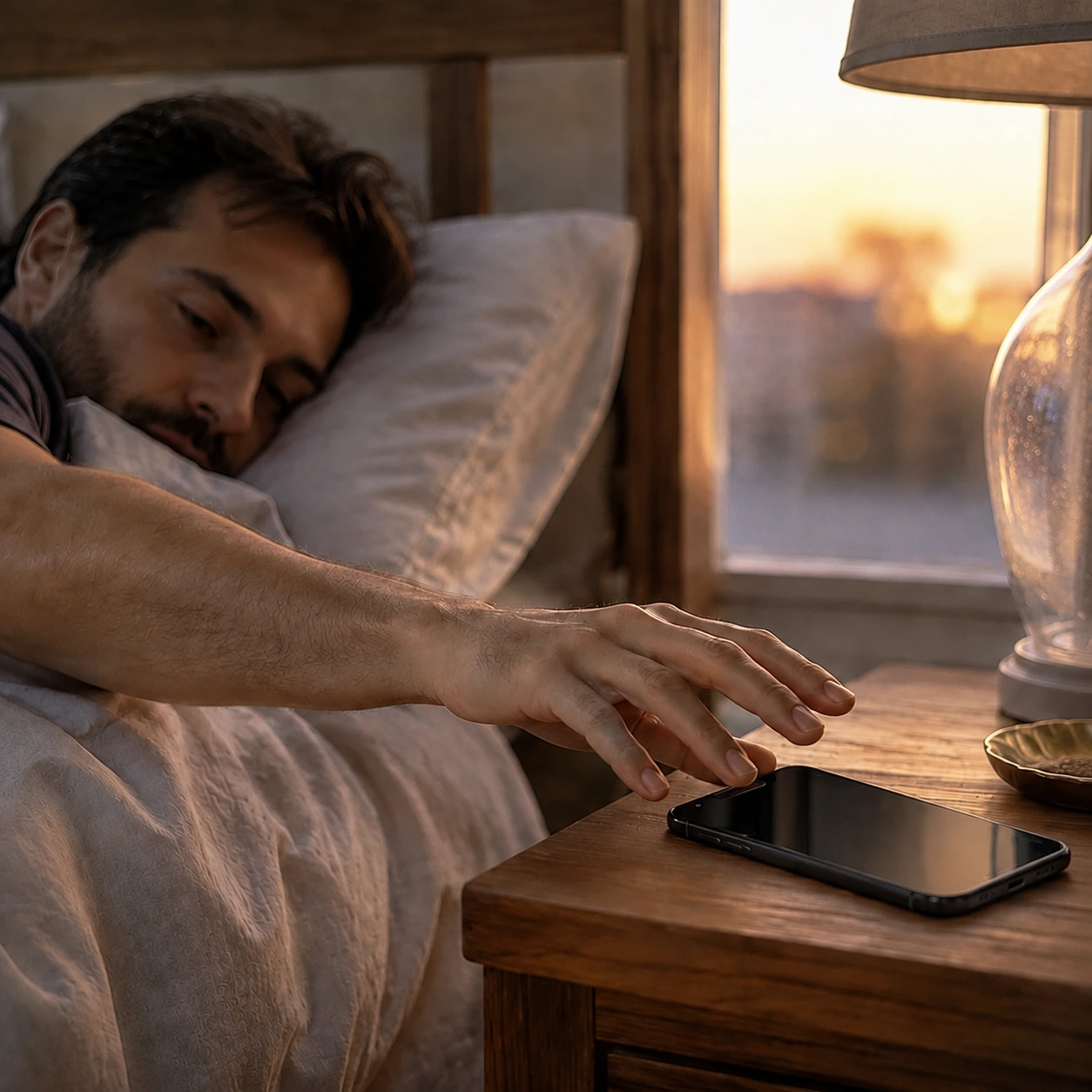
Man reaching for an iPhone as morning light enters the bedroom

An Alarm That Follows Through

Choose your sound, set a gentle volume ramp and use Smart Wake within a lighter-sleep window. Up to eight wake-up challenges, a guided relaunch automation and an optional delayed iOS fallback help you follow through.

iPhone in a quiet purple-lit bedroom

Nana, Private by Design

Ask Nana about your latest night, score, goals or trends by text or voice. Nana runs on your iPhone, works even offline and keeps your sleep data and conversations on your device.
iPhone, Apple Watch, water and notebook in morning light

From Night to Next Step

Sleepy Banana does more than collect a night. It connects your alarm, Sleep Health score, snoring moments, long-term trends and Nana’s explanations so you always know what matters next.

The complete app

Everything Sleepy Banana Does

From the moment you prepare for bed to the insight you act on the next morning, every feature works as part of one private sleep companion.

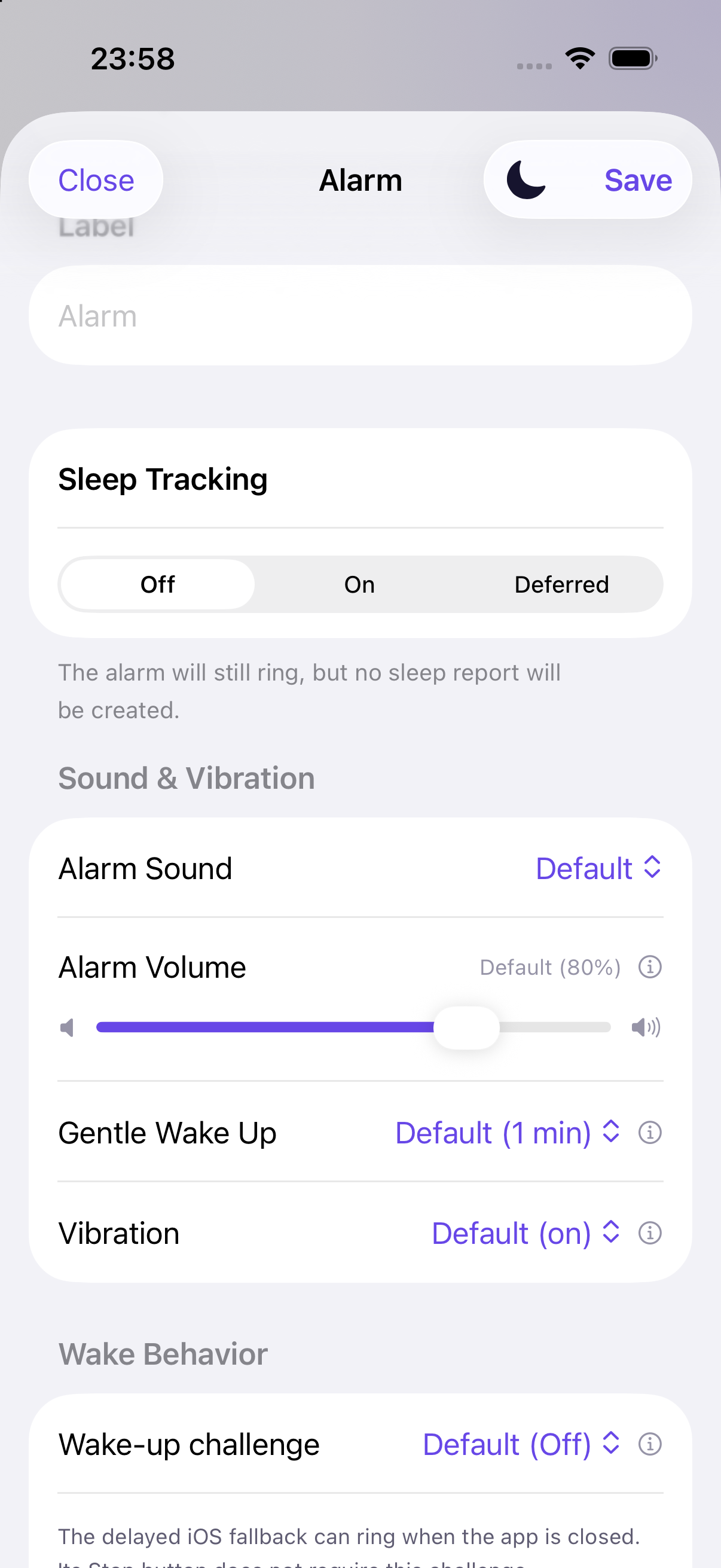
Alarm sound, volume, gentle wake and vibration controls

Alarm and Smart Wake

Create multiple alarms with chosen sounds, repeat days, volume ramps and snooze controls, or skip the next occurrence. While tracking, Smart Wake can use a 10–45 minute window. An optional iOS fallback adds a backup alarm with a delay you can set for each alarm.

Smart Wake · delayed iOS fallback
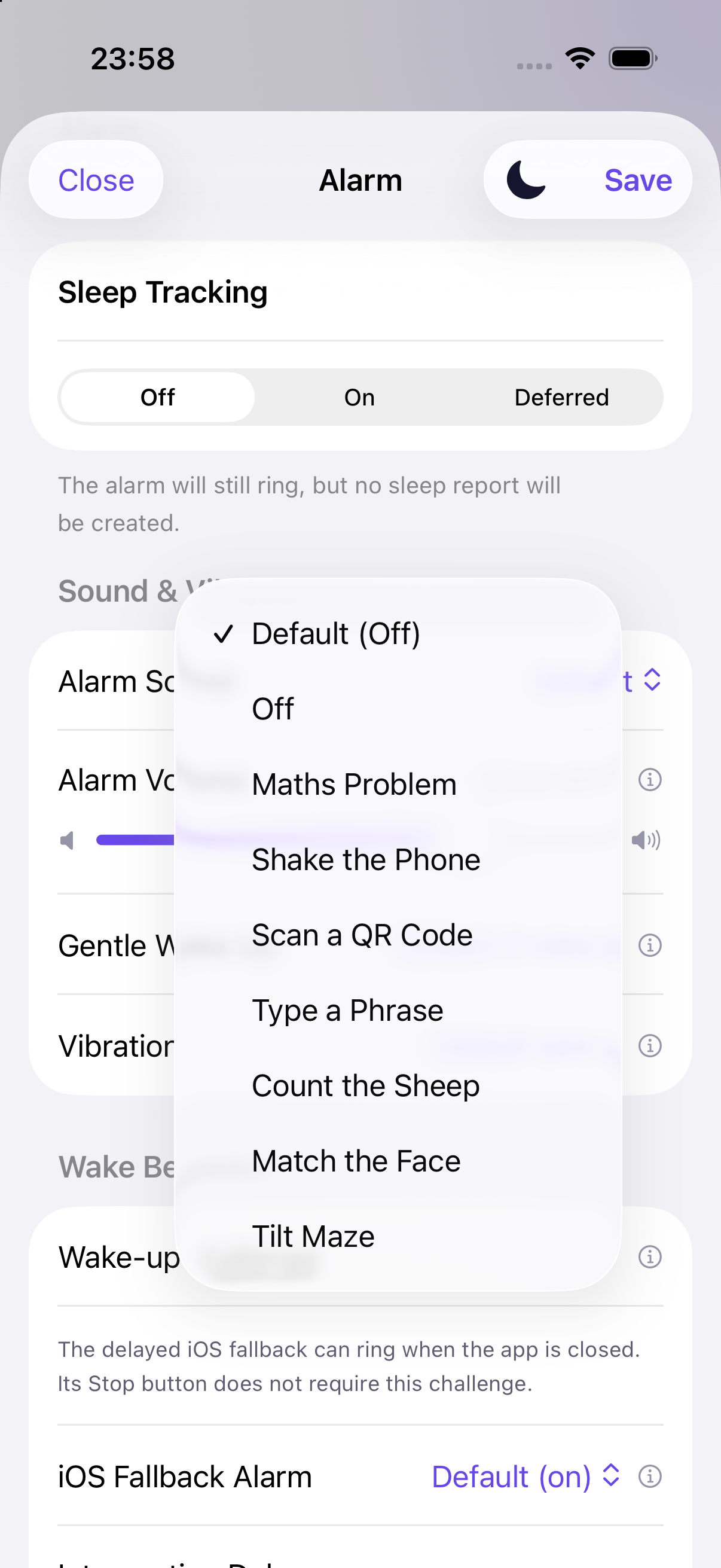
Unlocked wake-up challenge menu in Sleepy Banana

Persistent Wake-Up

Choose maths, shaking, typing, maze, sheep, face matching, QR or an NFC tag on supported iPhones. Guided iOS automation can relaunch an unresolved alarm after the app is swiped away. The fallback’s system Stop button bypasses the challenge.

Up to 8 challenges · automation guard
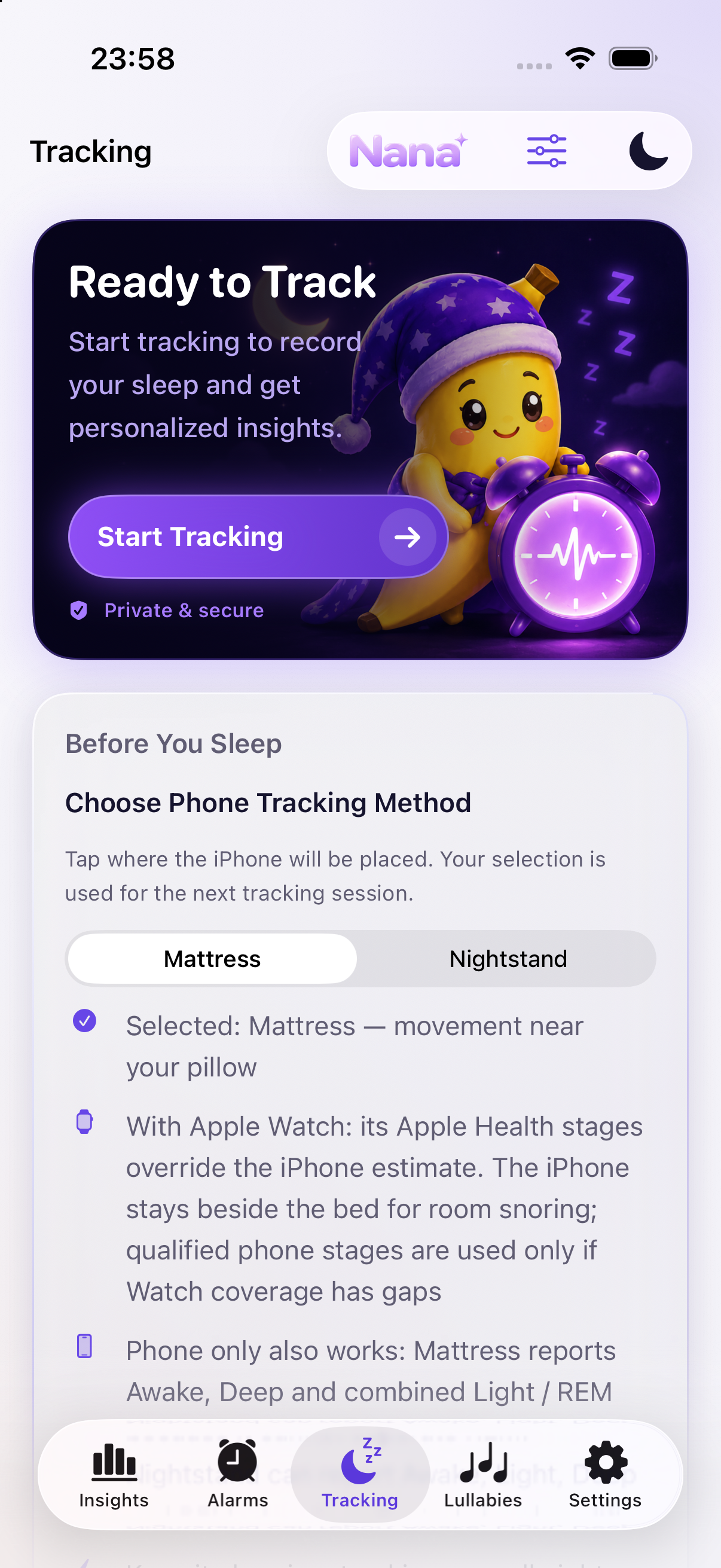
Start Tracking card and artwork from the app

iPhone Sleep Tracking

Track sleep stages with your iPhone alone in either On Mattress or On Nightstand mode. No Apple Watch required. Mattress uses movement; Nightstand uses a qualified reflected sound signal. When Apple Watch sleep-stage data is available, it takes priority over iPhone estimates.

Choose Mattress or Nightstand
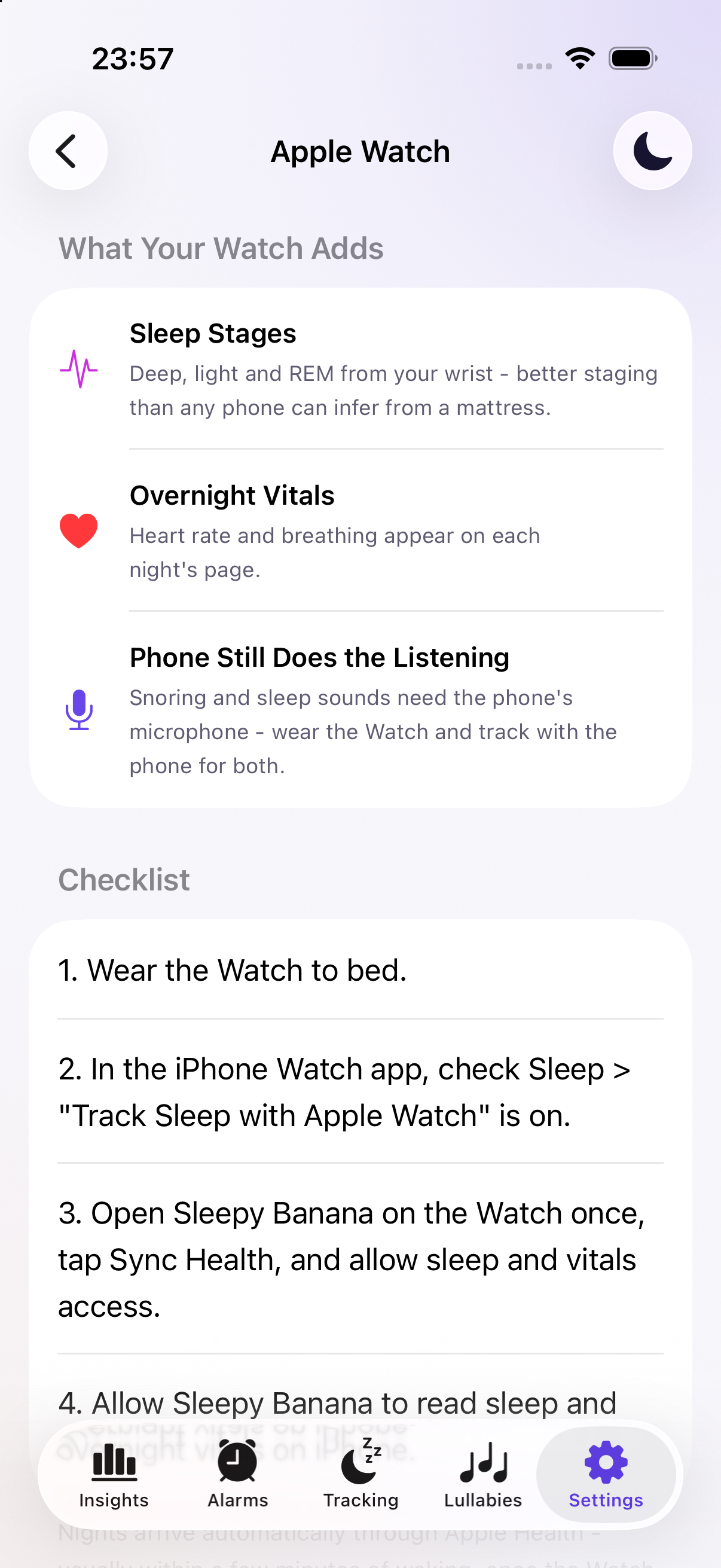
Apple Watch stages, vitals and iPhone sound tracking explanation

Apple Watch and Health

Import Watch stages and supported vitals, with qualified iPhone estimates filling gaps. Start, pause or end tracking, set iPhone alarms and optionally enable a wrist-alarm fallback. Snooze or stop eligible alarms on the Watch; required challenges stay on the iPhone.

Watch controls · stages · vitals
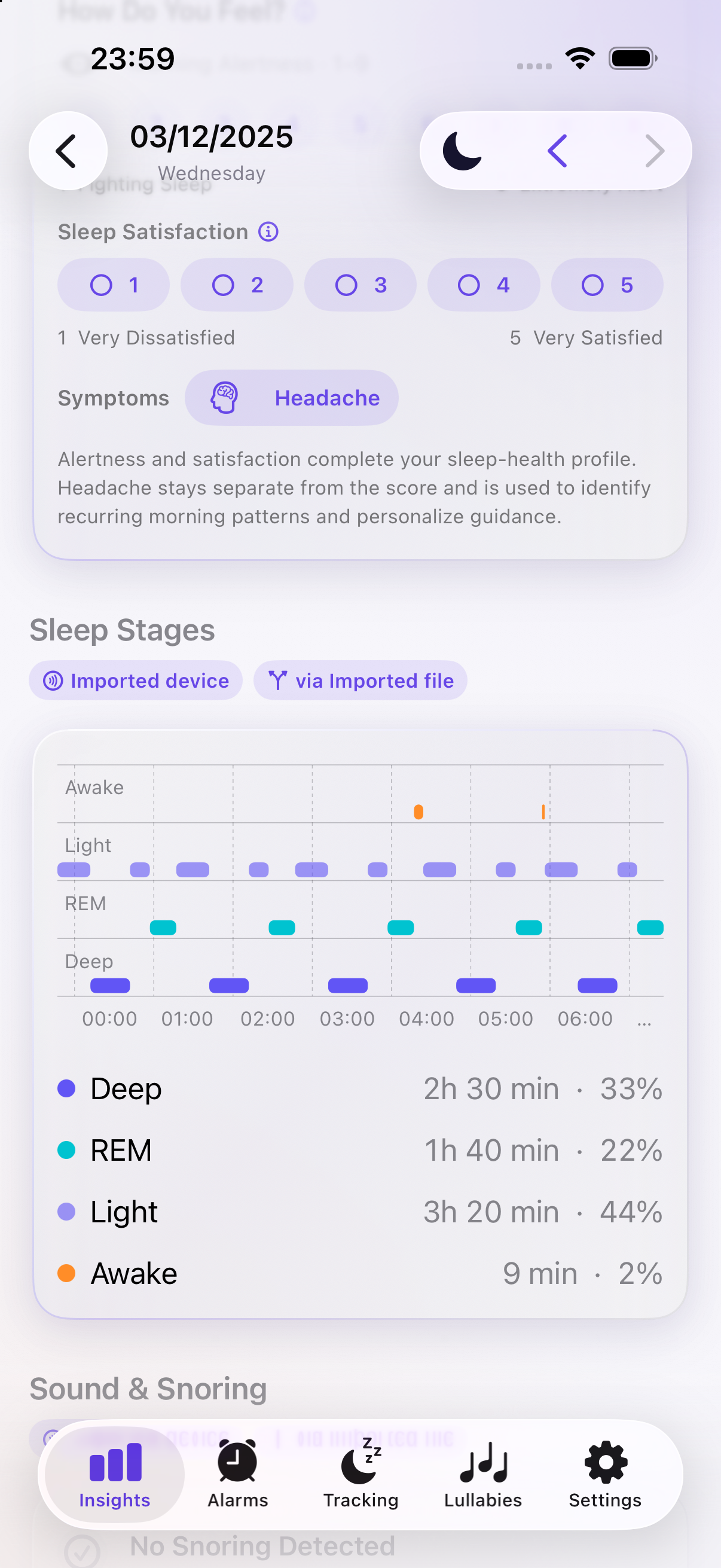
Sleep-stage chart and totals from a bundled sample night

Sleep Stages

Both phone modes estimate sleep stages without Apple Watch: Mattress estimates Awake, Light and Deep; qualified Nightstand tracking can also estimate REM. If you use Apple Watch and its stage data is available, Sleepy Banana prefers it over phone estimates. Unreliable phone stages are withheld.

iPhone stages · Apple Watch preferred
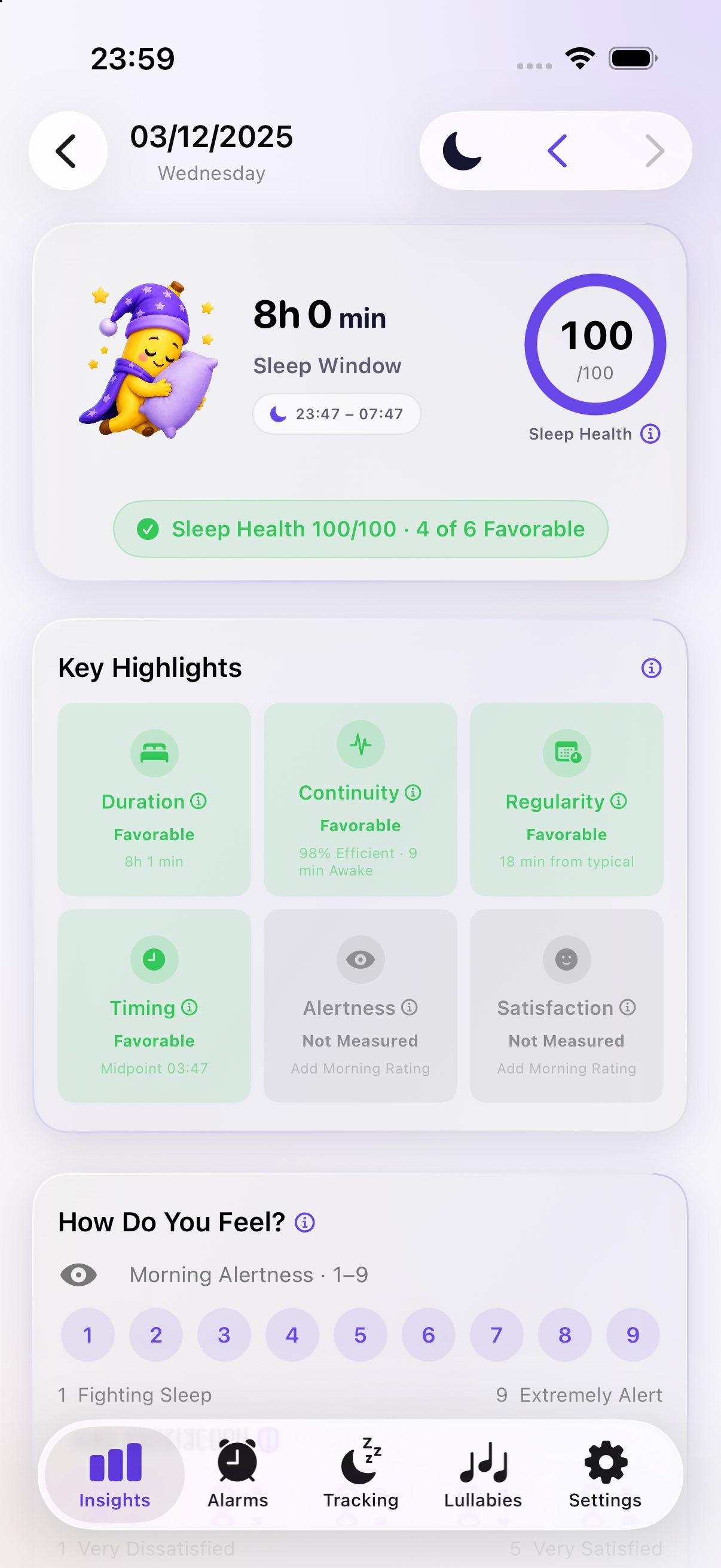
Six Sleep Health dimensions from a bundled sample night

Sleep Health

See one nightly score built from RU-SATED duration, continuity, regularity, timing, alertness and satisfaction, with clear highlights showing which dimensions were favorable or need attention.

6 dimensions · nightly score
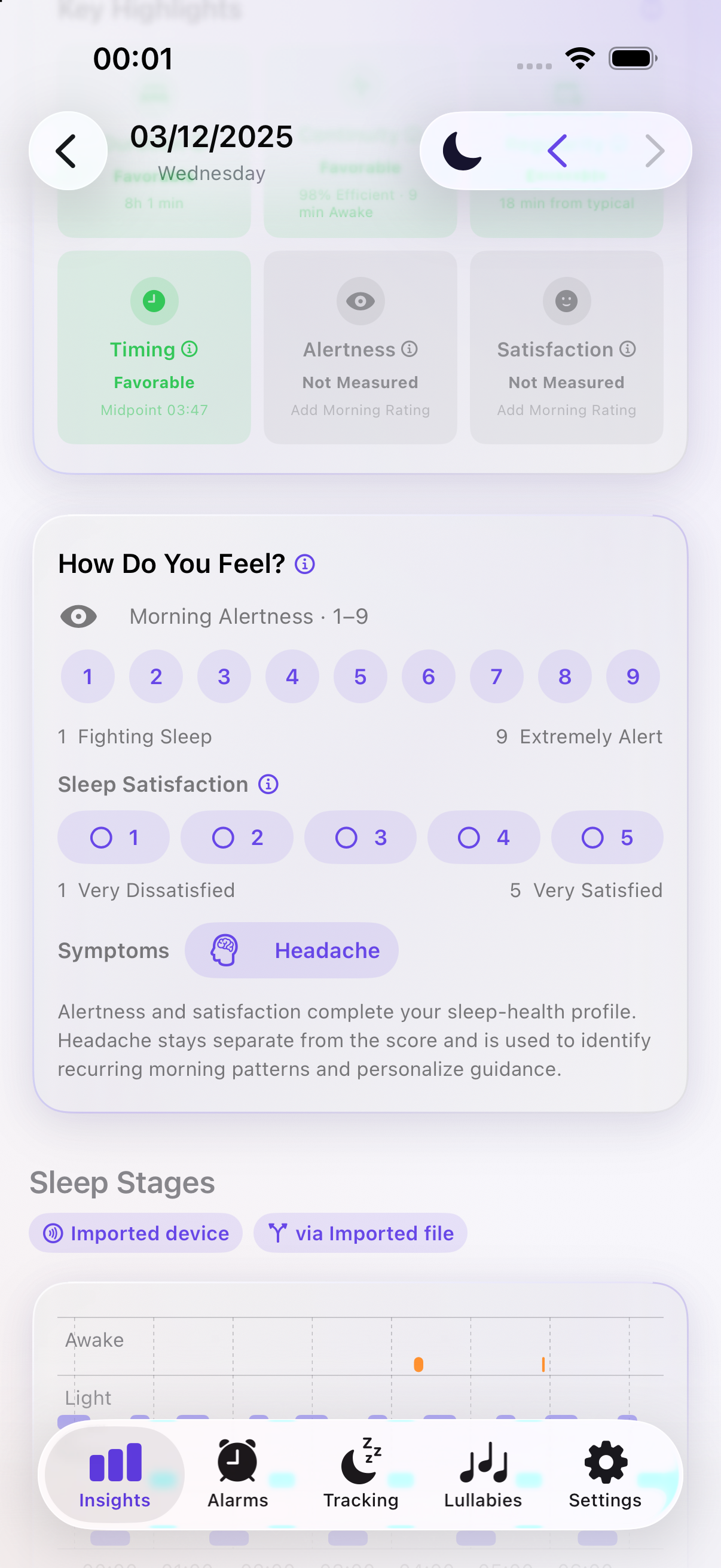
Morning alertness, satisfaction and symptom controls

Morning Check-In

Add a validated KSS alertness rating and a restorative-sleep rating after waking. These self-reports give the nightly score context that passive sensors cannot measure.

Alertness · restoration
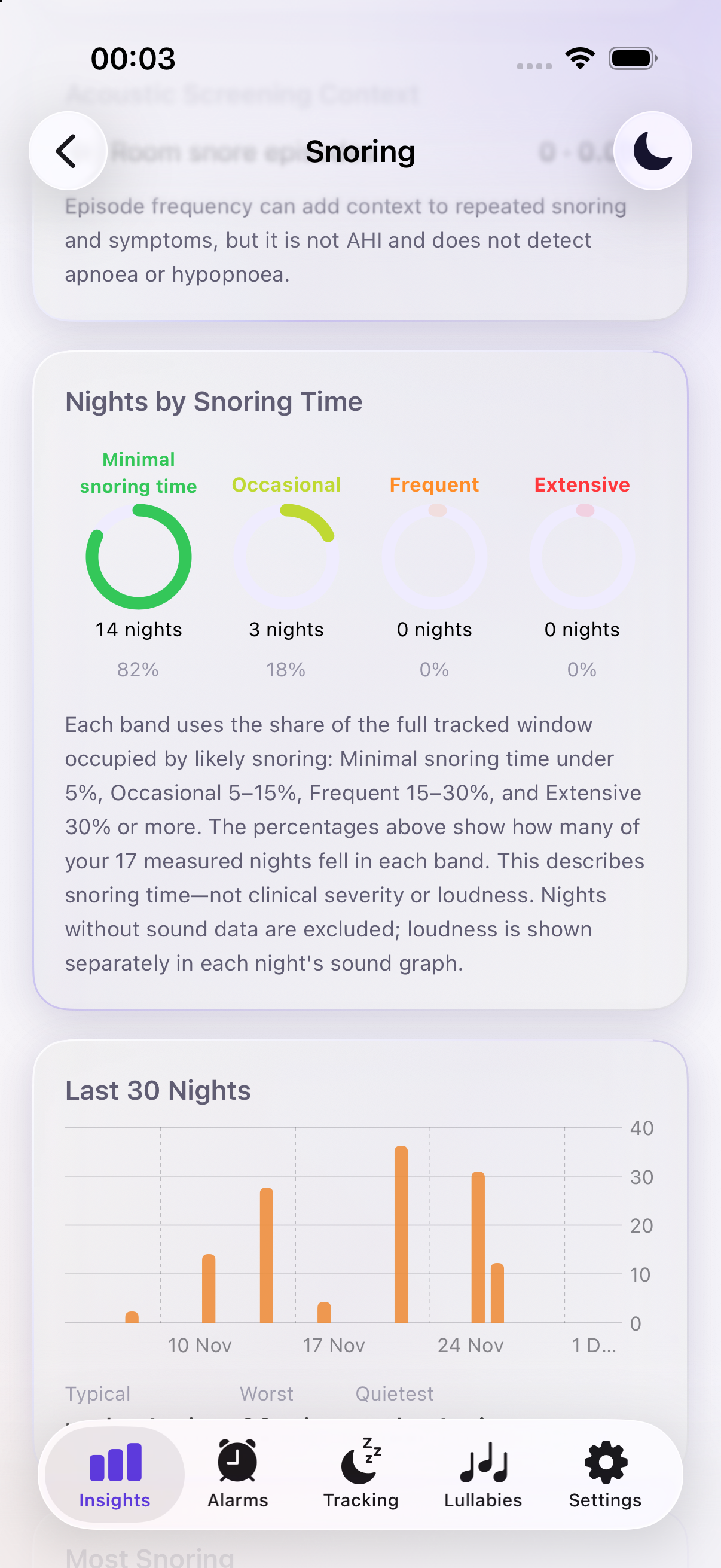
Snoring history bands from the simulator sample nights

Snoring and Recordings

Detect likely snoring, optionally save clips, review nightly totals and timelines, and label sounds such as talking, coughing, breathing or room noise. Correct a label yourself or apply it to similar recordings for later verification.

Detection · clips · sound labels
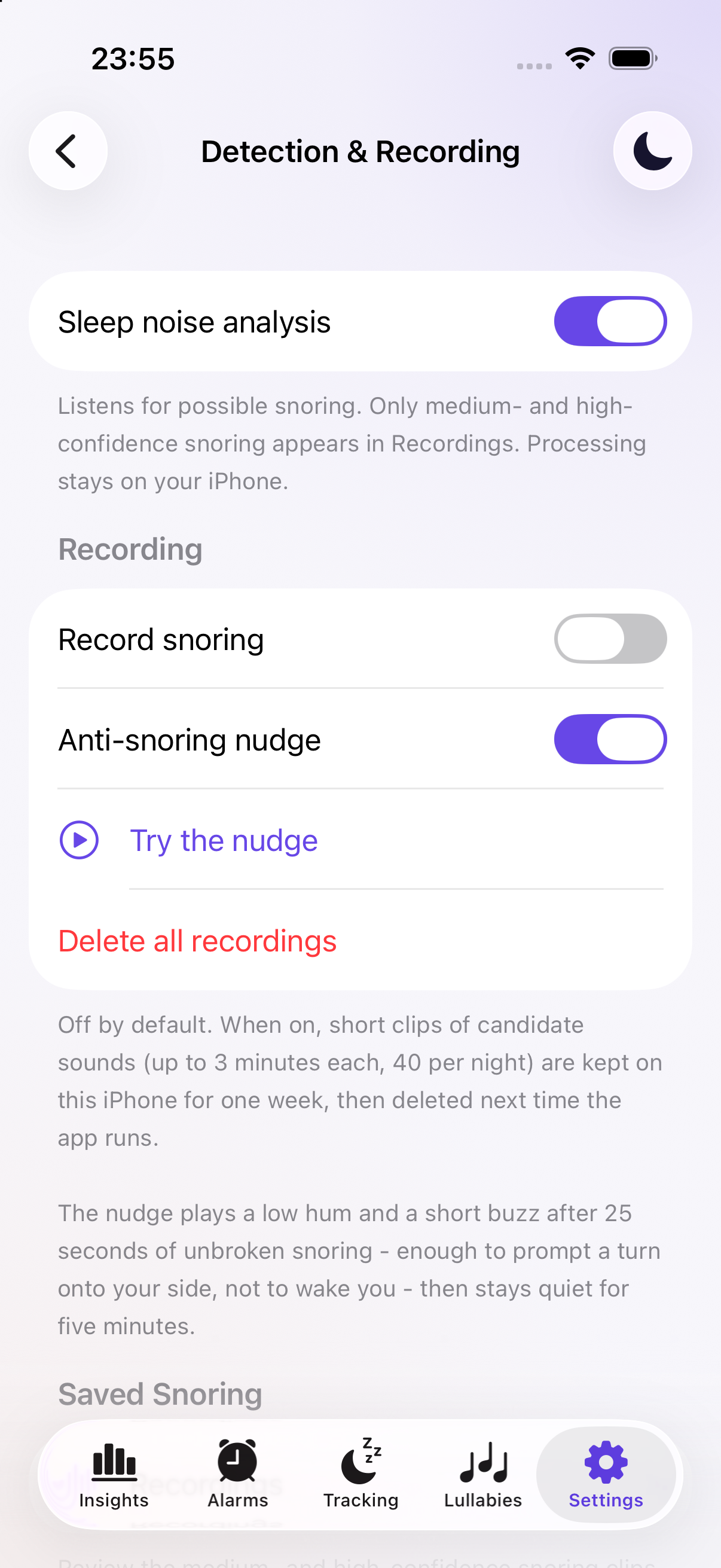
Anti-snoring nudge toggle and Try the nudge control

Anti-Snore Nudge

Optionally enable a low hum and short vibration after sustained snoring. A cooldown separates nudges, and a Try the nudge control in Settings lets you hear it first. This is a gentle prompt to change position, not a treatment.

Optional hum · vibration · cooldown
Nana hero artwork used in the current Sleepy Banana app

Nana AI Coach

Ask about your latest night, Sleep Health score, goals and patterns by text or voice. Download the language model once (about 1 GB), plus natural voice (325 MB) for voice chat. Nana then works locally, even offline.

Local LLM · text and voice
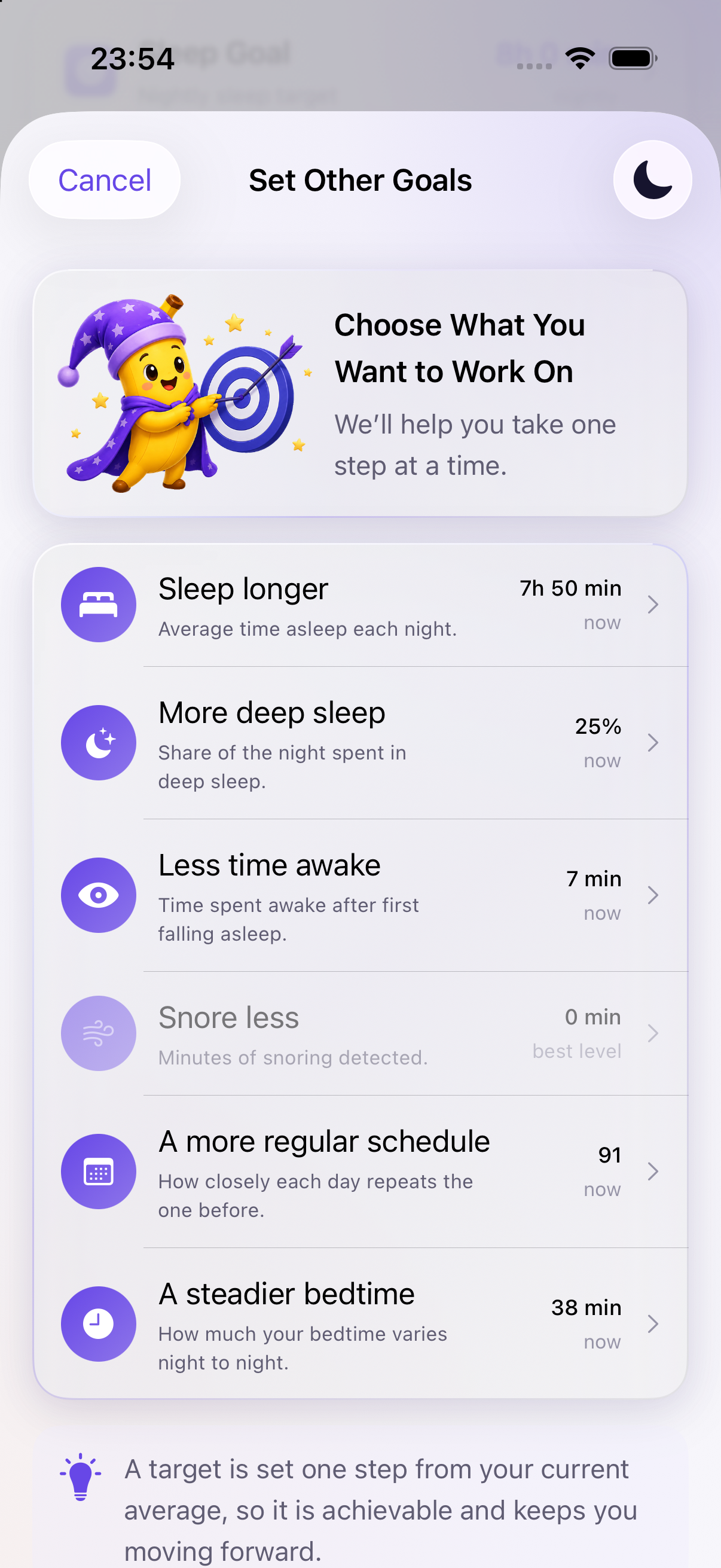
Goal selection, sleep duration and deep-sleep choices from the app

Goals, Patterns and Trends

Set a nightly sleep target or goals for duration, deep sleep, awake time, snoring, regularity and bedtime consistency. Follow progress from available measurements and explore duration, schedule, snoring and Sleep Health trends.

Goals · insights · history
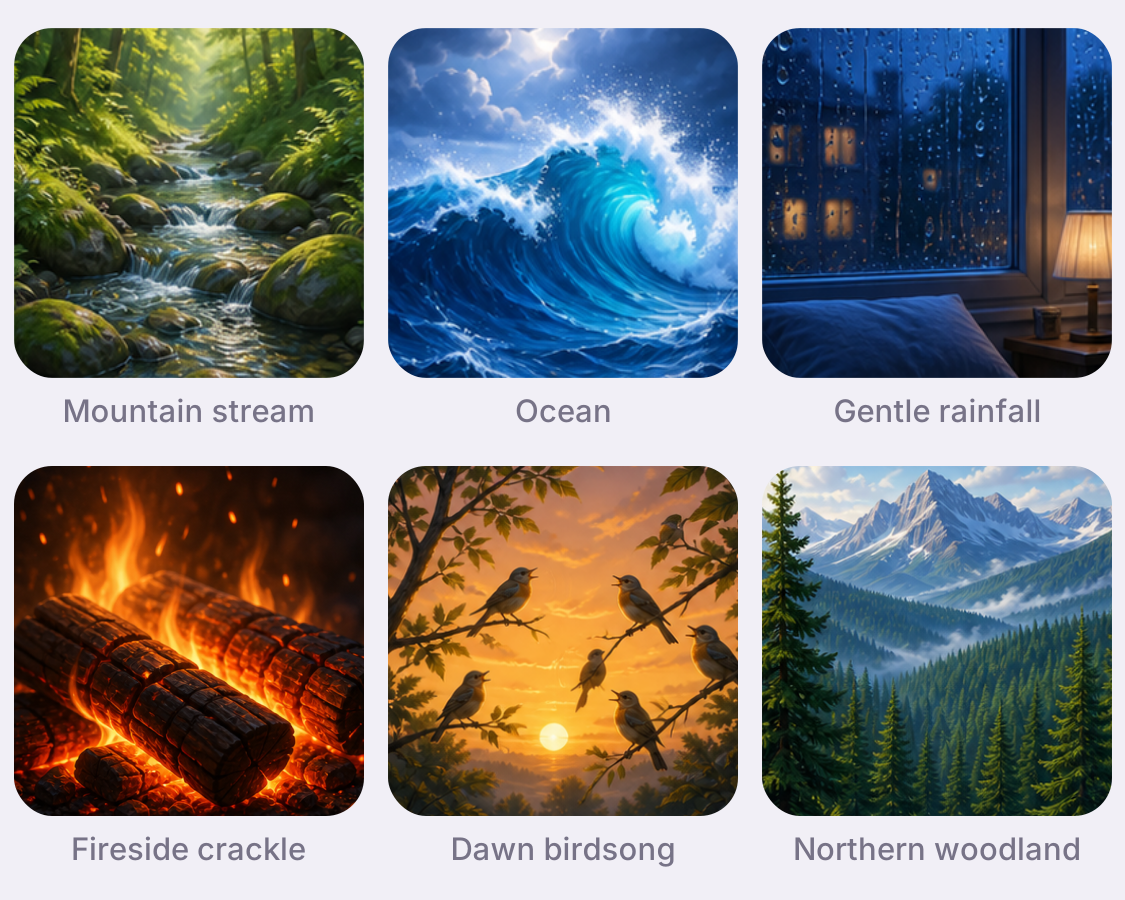
Mountain stream, ocean, rain, fire, birdsong and woodland sounds from the app

Sleep Sounds and Lullabies

Choose from 75 lullabies and four binaural programs, layer soundscapes and save favourite blends. Set playback for 10, 30, 60 or 90 minutes, or all night, and use Lock Screen playback controls. Binaural programs need headphones.

Saved mixes · timers · playback controls
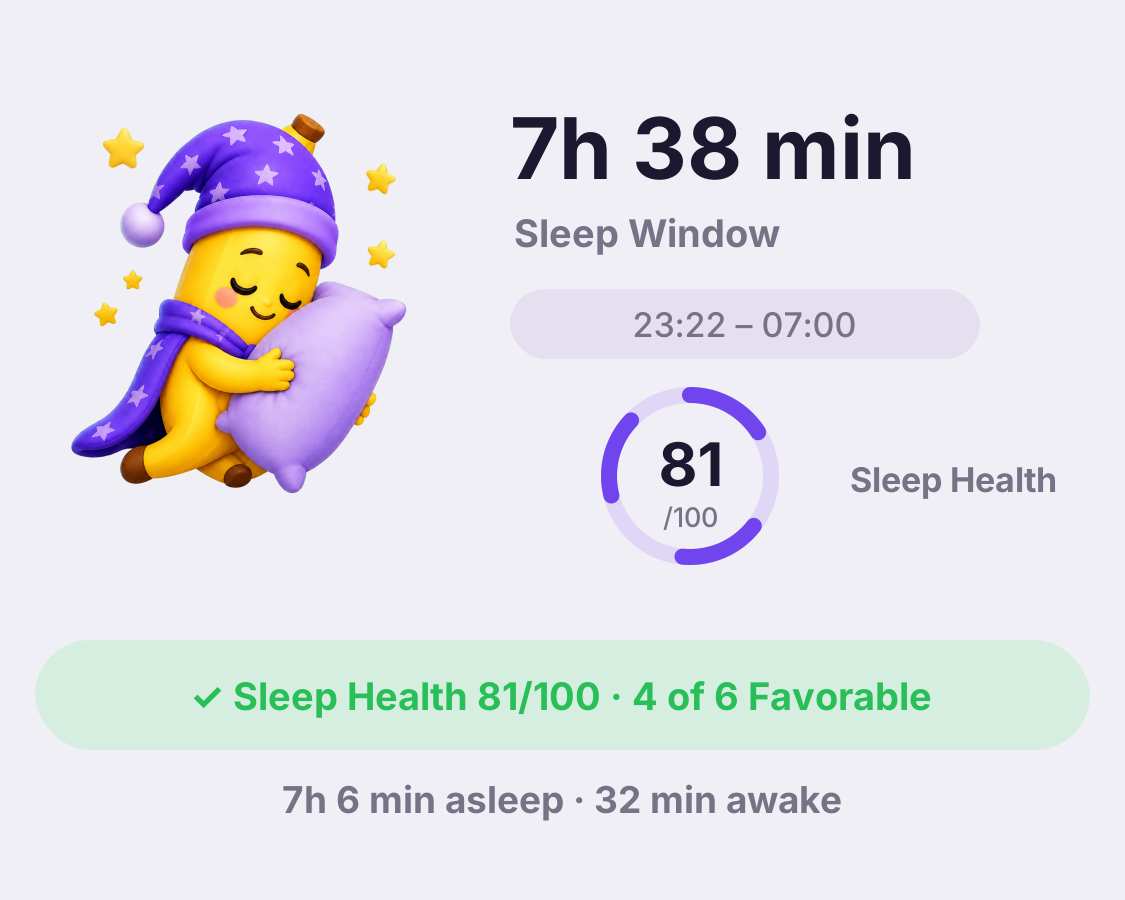
Illustrative night: 7 hours 38 minutes in bed, 7 hours 6 minutes asleep, 32 minutes awake, and Sleep Health 81 out of 100

Wake Timeline and Night Detail

Review first alarm, snoozes, final stop time, sleep stages, vital measurements, sound events and the evidence behind each nightly result in one detailed view.

Timeline · evidence · detail
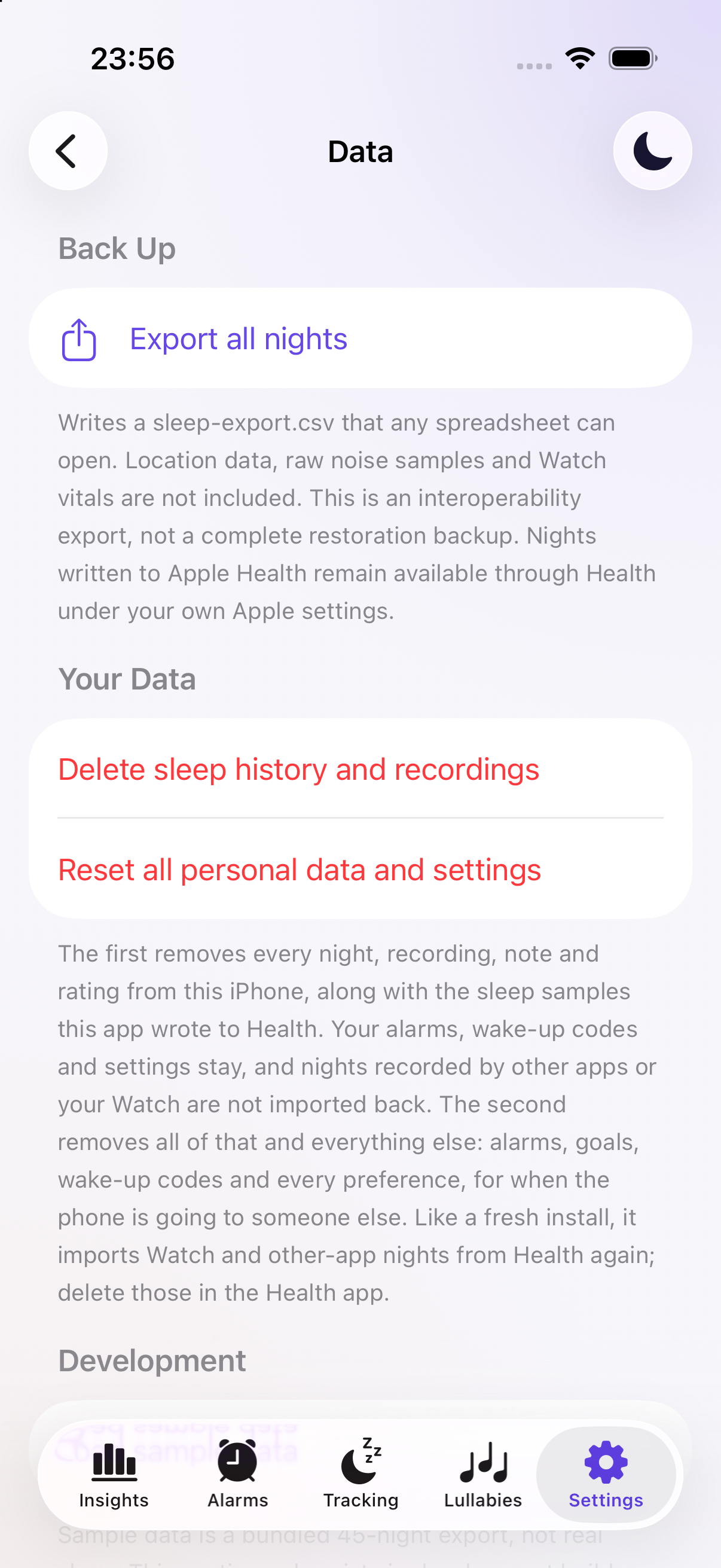
Sleep-history export and local data deletion controls

Private Data Controls

Sleep analytics, Nana conversations, recordings and your sound labels stay on your device. Review or delete local data and export supported sleep-history fields as CSV. Exported files are a spreadsheet copy, not a full restoration backup.
On device · export · delete
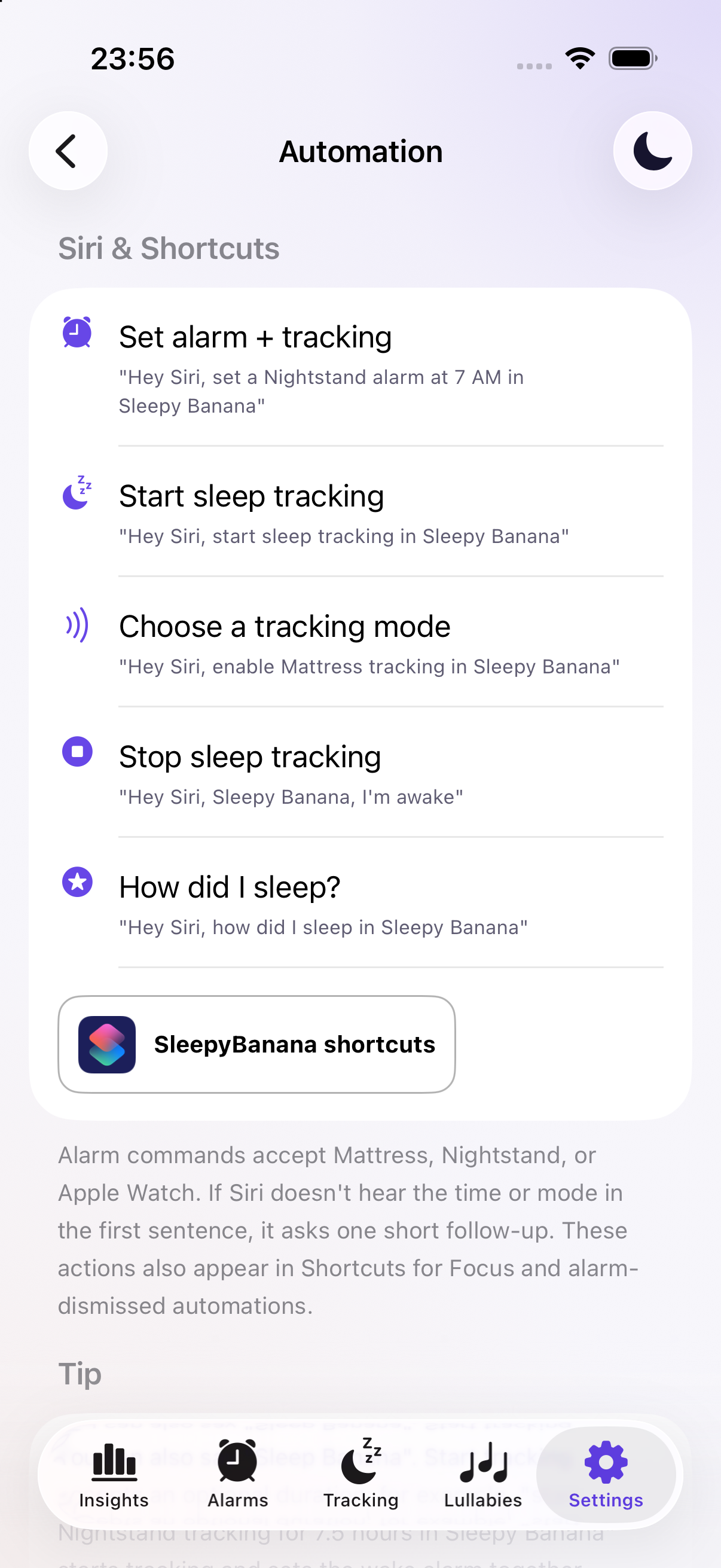
Siri commands and Shortcuts integration

Siri and Shortcuts

Start or stop sleep tracking, set an alarm, or ask how you slept with Siri and Shortcuts. Add Sleepy Banana actions to your routines, including Apple Watch tracking and a wake-up challenge check.

Siri · shortcuts · routines
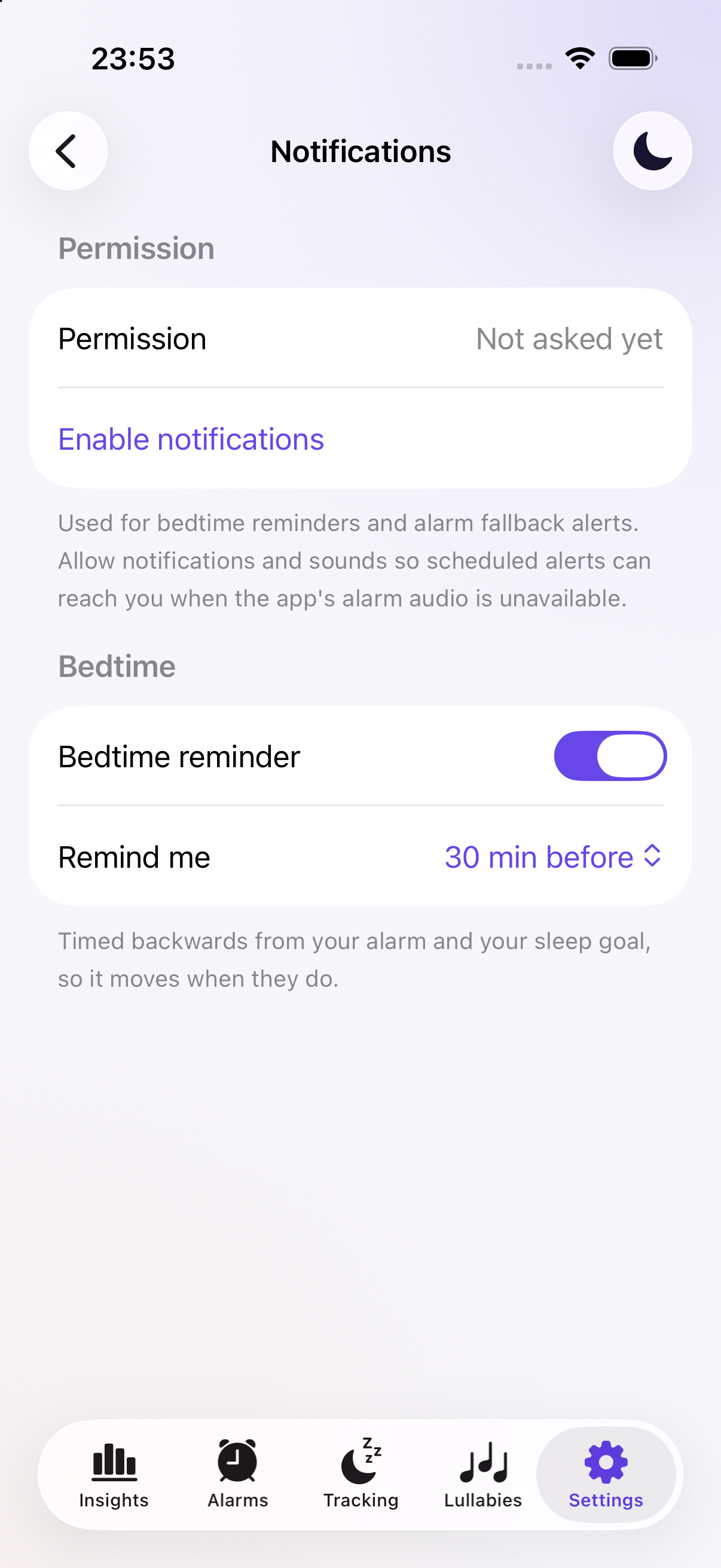
Bedtime reminder switch and reminder timing selector

Bedtime Reminders

Get a reminder based on your next alarm and sleep goal. Choose how far in advance it arrives; bedtime moves when your alarm or goal changes.

Build your evening routine
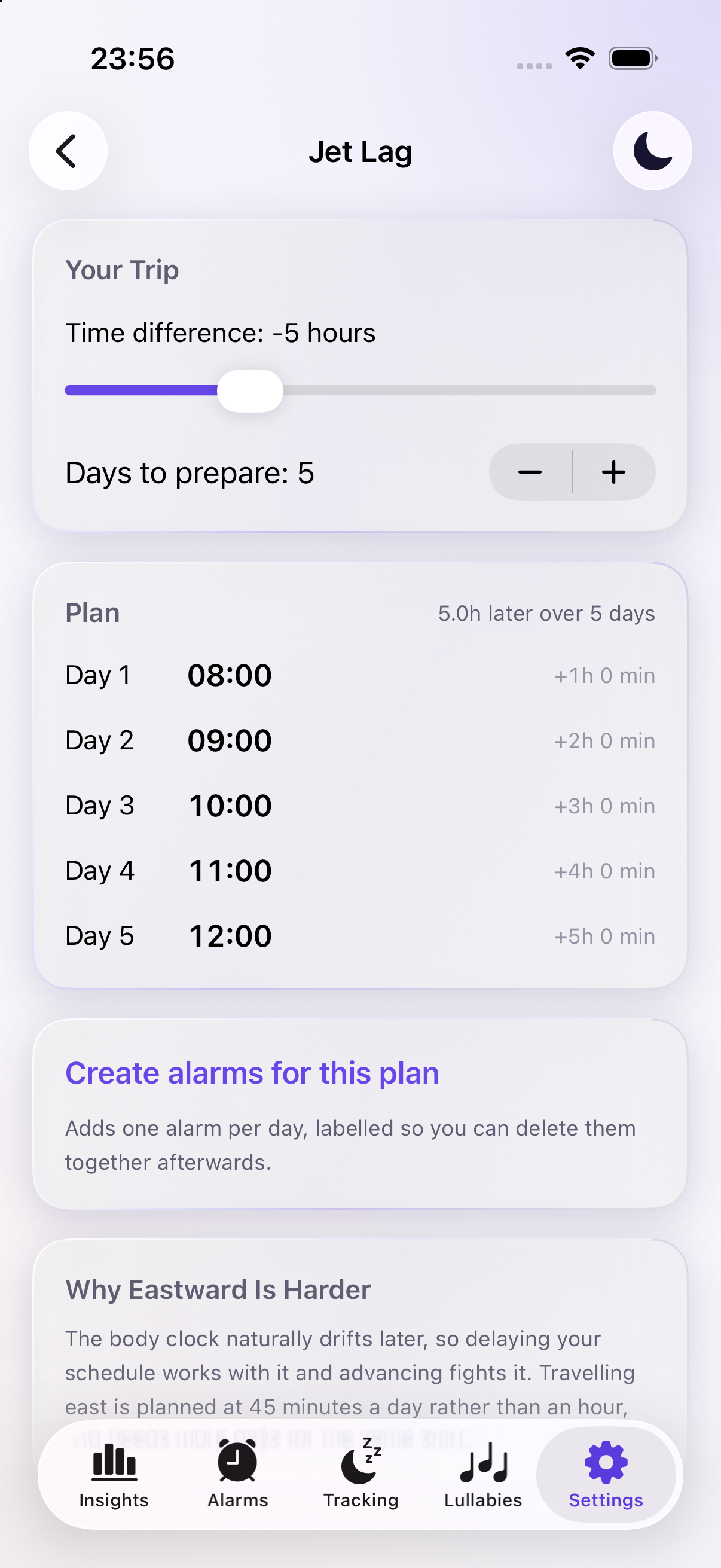
Five-day gradual wake schedule in Jet Lag settings

Jet Lag Planning

Enter the time difference and days available to prepare. Review a gradual wake schedule and create an alarm for each day of the plan.

Prepare for a different time zone
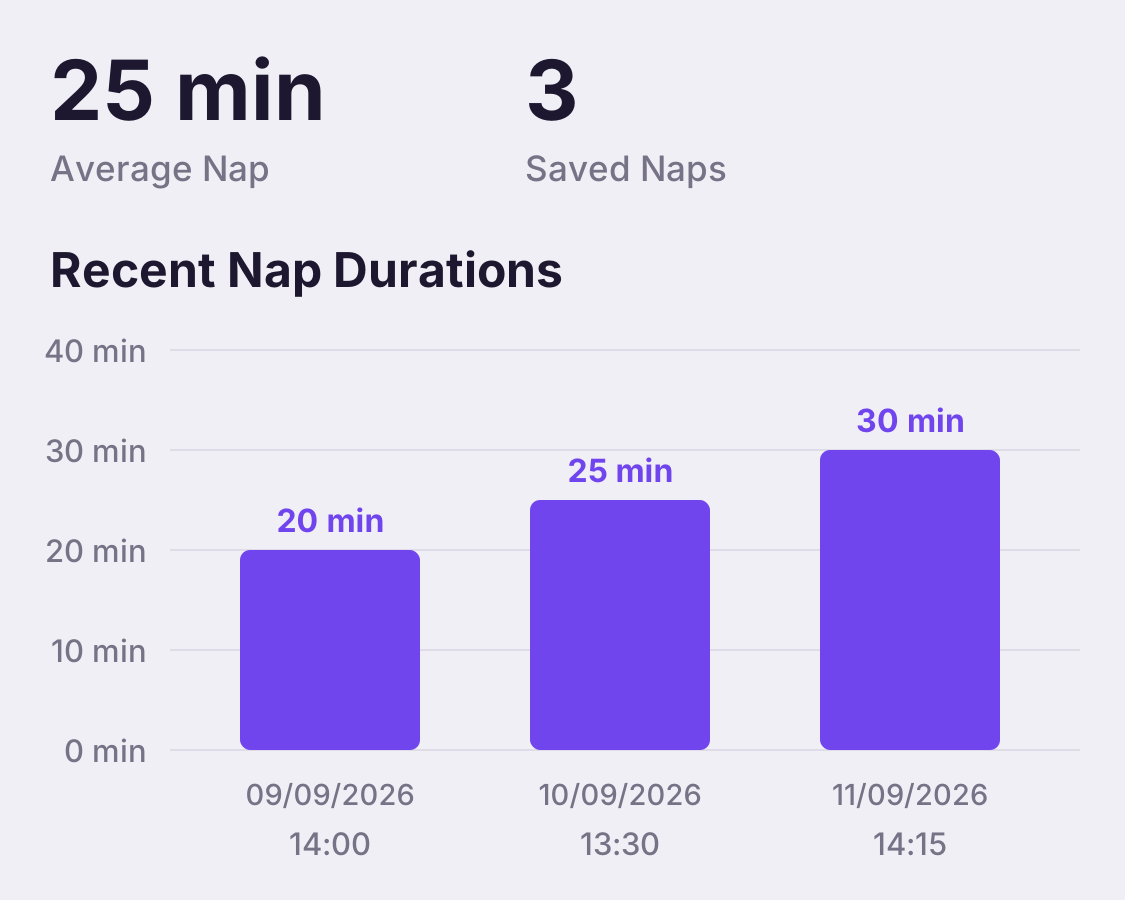
Three afternoon naps of 20, 25 and 30 minutes, with a 25-minute average

Separate Nap History

Review the naps you choose to save separately from overnight sleep. See their timing, duration, sound evidence and available wearable vitals without treating them as full nights.

Keep daytime rest in context
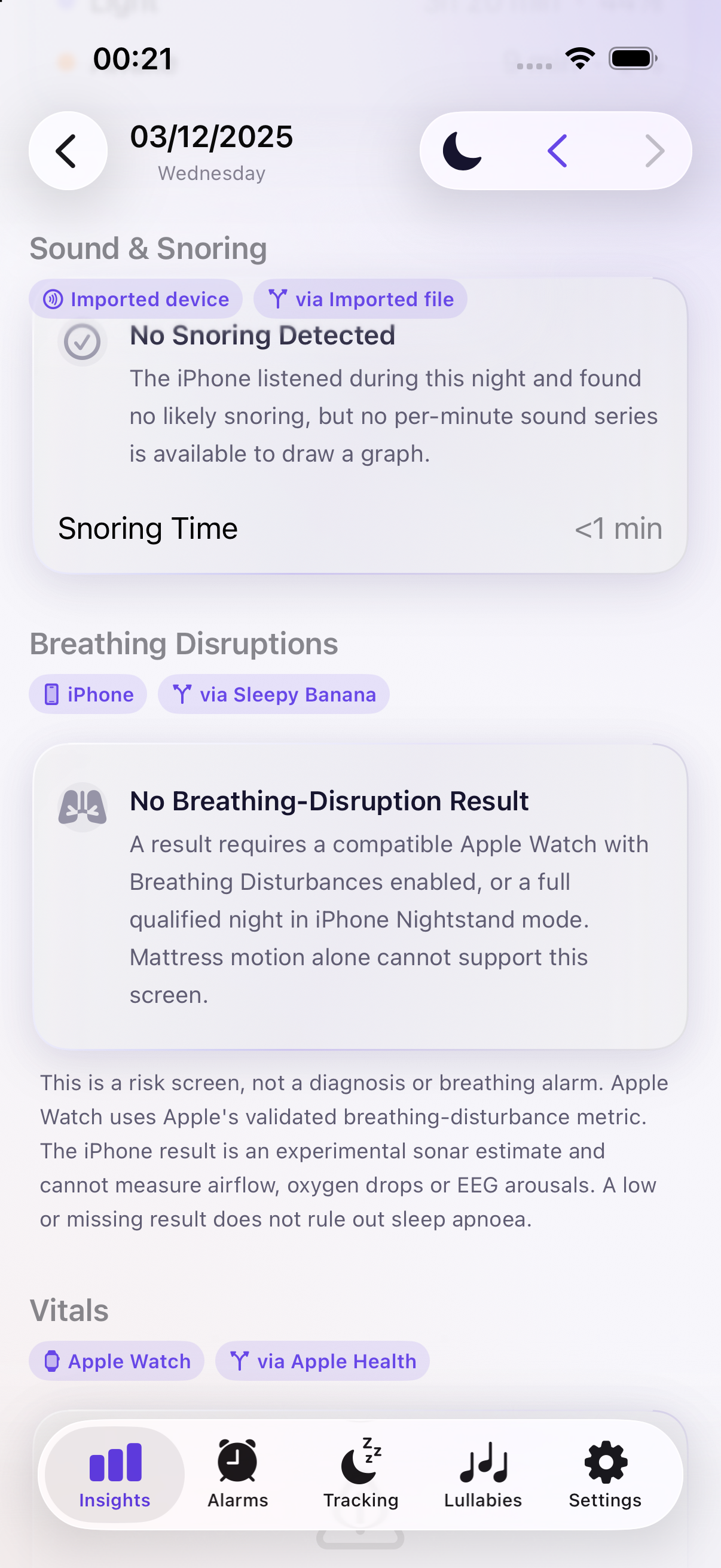
Breathing-disruption evidence requirements in night details

Breathing-Disruption Insights

Review compatible Apple Watch Breathing Disturbances measurements or possible disruption estimates from a qualified Nightstand session. Missing evidence is withheld. These are wellness insights, not an apnea diagnosis.

Understand the available evidence
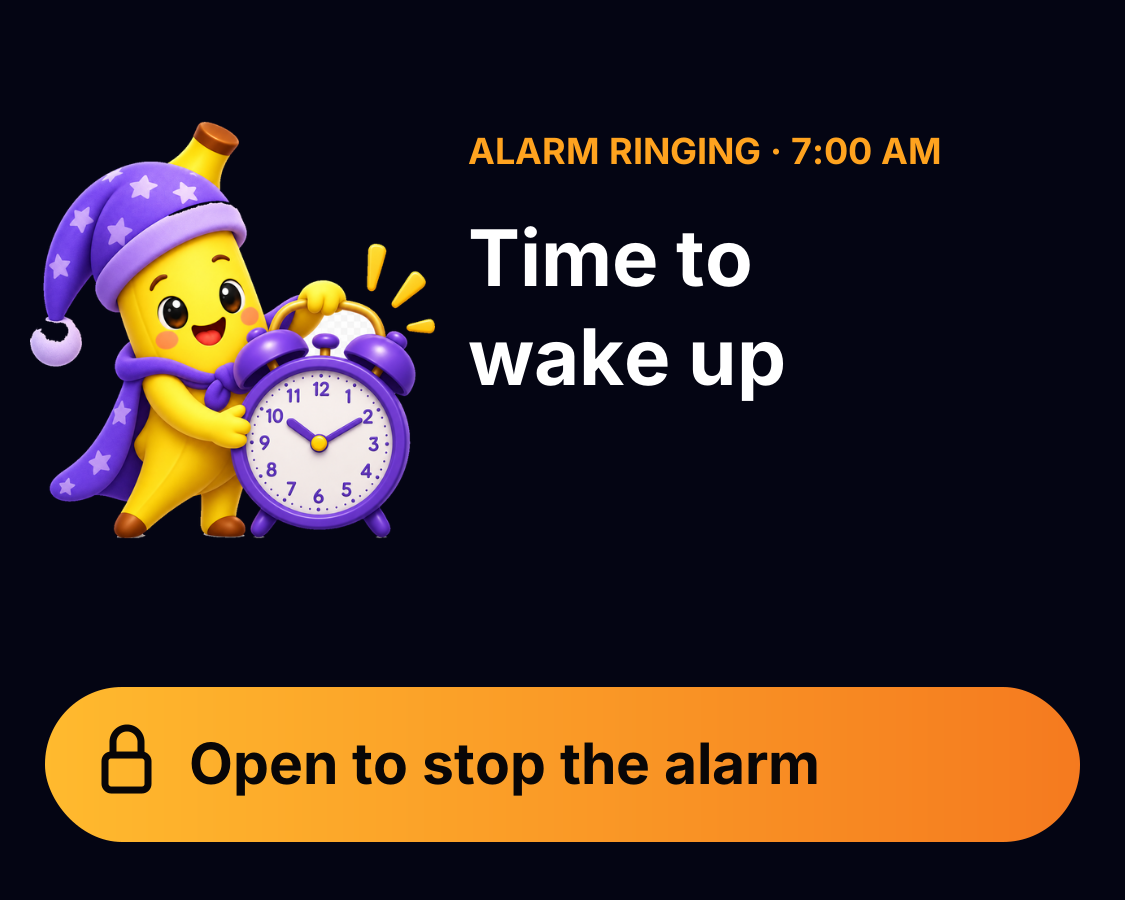
Alarm-ringing Live Activity with the app mascot and yellow Open to stop the alarm button

Live Activities and Dynamic Island

See ongoing alarm, tracking and sound playback status on supported iPhones. Pause, resume, stop or change soundscapes using their Lock Screen controls.

Keep an eye on the current session
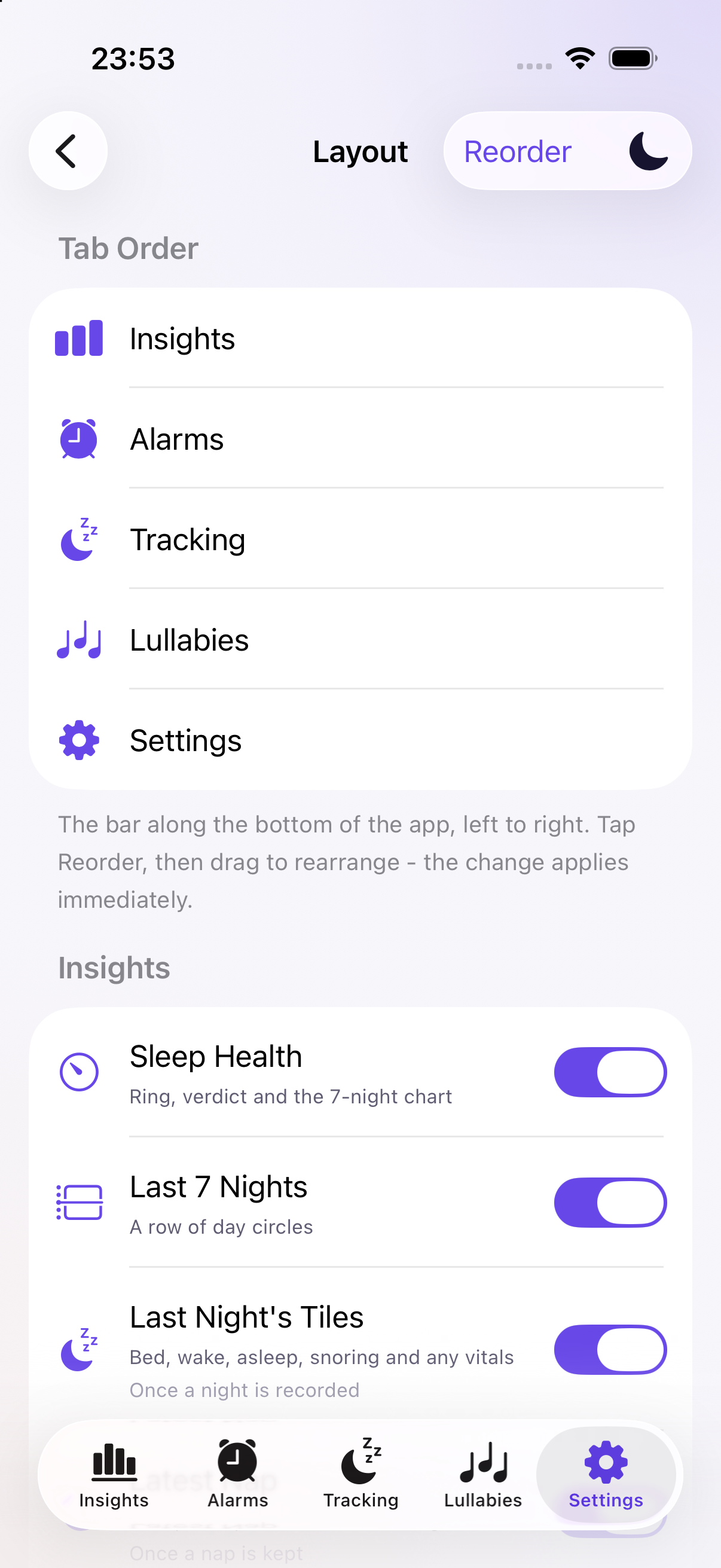
All five tab-order rows in Layout settings

Your Dashboard, Your Order

Choose light, dark or system appearance and an accent color. Reorder tabs and arrange the available dashboard cards, hiding optional cards you do not need. The Next Alarm card remains visible.

Put your favourite views first
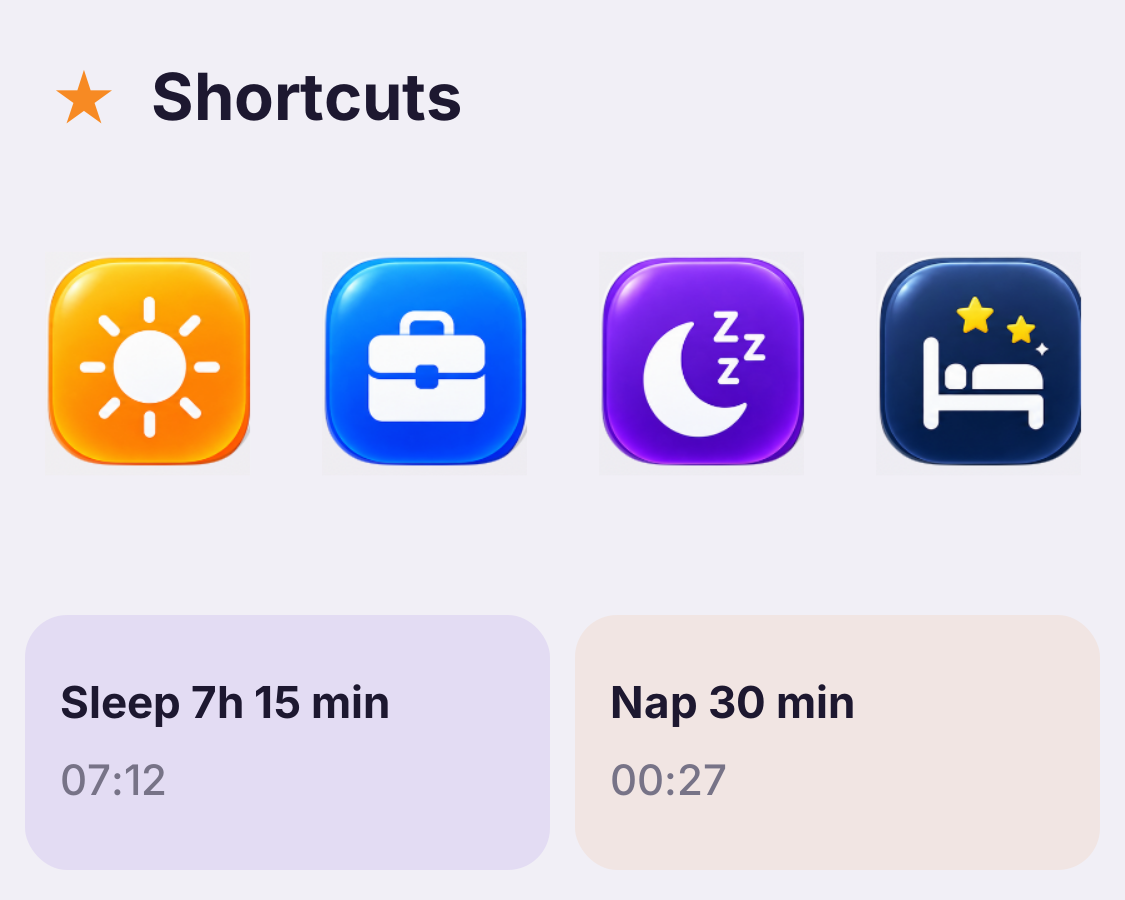
Sleep 7 hours 15 minutes and Nap 30 minutes shortcuts from the app

Sleep Shortcuts and Manual Entries

Use a saved sleep-duration shortcut to set a wake alarm and start tracking together. You can also log sleep manually when you did not track it; a manual entry does not invent sensor measurements.

Quick bedtime setup · manual sleep log